Claude Code is a good product. The reasons people leave it are rarely about quality:
- Usage windows. You hit a ceiling mid-task and wait for a rolling reset.
- Unpredictable spend. Token metering makes every long agent run a small financial decision.
- Jurisdiction. Your codebase goes to a US-jurisdiction provider. For some teams that's a compliance conversation they'd rather not have.
The good news: Claude Code isn't one thing. It's two — an agentic coding harness and a model endpoint. Both are replaceable, and you only need to replace the second one to fix all three problems above.
The two pieces
| Claude Code | Replacement |
|---|---|
| The agent (planning, file edits, tool calls, terminal access) | Zoo Code, Cline, OpenCode, Aider — all open, all model-agnostic |
| The model behind it (Anthropic API) | Any OpenAI-compatible endpoint you control |
Every serious open harness supports BYOK against an OpenAI-compatible base URL. That's the whole seam. Point it somewhere else and the rest of your workflow is unchanged.
Choosing where the model runs
Fully local (your own hardware). A 30B-class model at 4-bit needs roughly 24–48GB of VRAM before you've allocated any KV cache. Doable on a 4090 or a used A6000. You own it outright and nothing leaves the building. The costs are real though: hardware capex, driver and vLLM babysitting, and a box that's idle 90% of the week.
Dedicated hosted instance. Someone else runs the GPU, but the model is served on capacity reserved for you rather than a shared metered pool. You get the flat-cost, no-usage-window property without owning silicon.
This is what we built Solheim for — a dedicated inference instance in the EU, flat monthly fee, no token counter.
Setting it up with Zoo Code
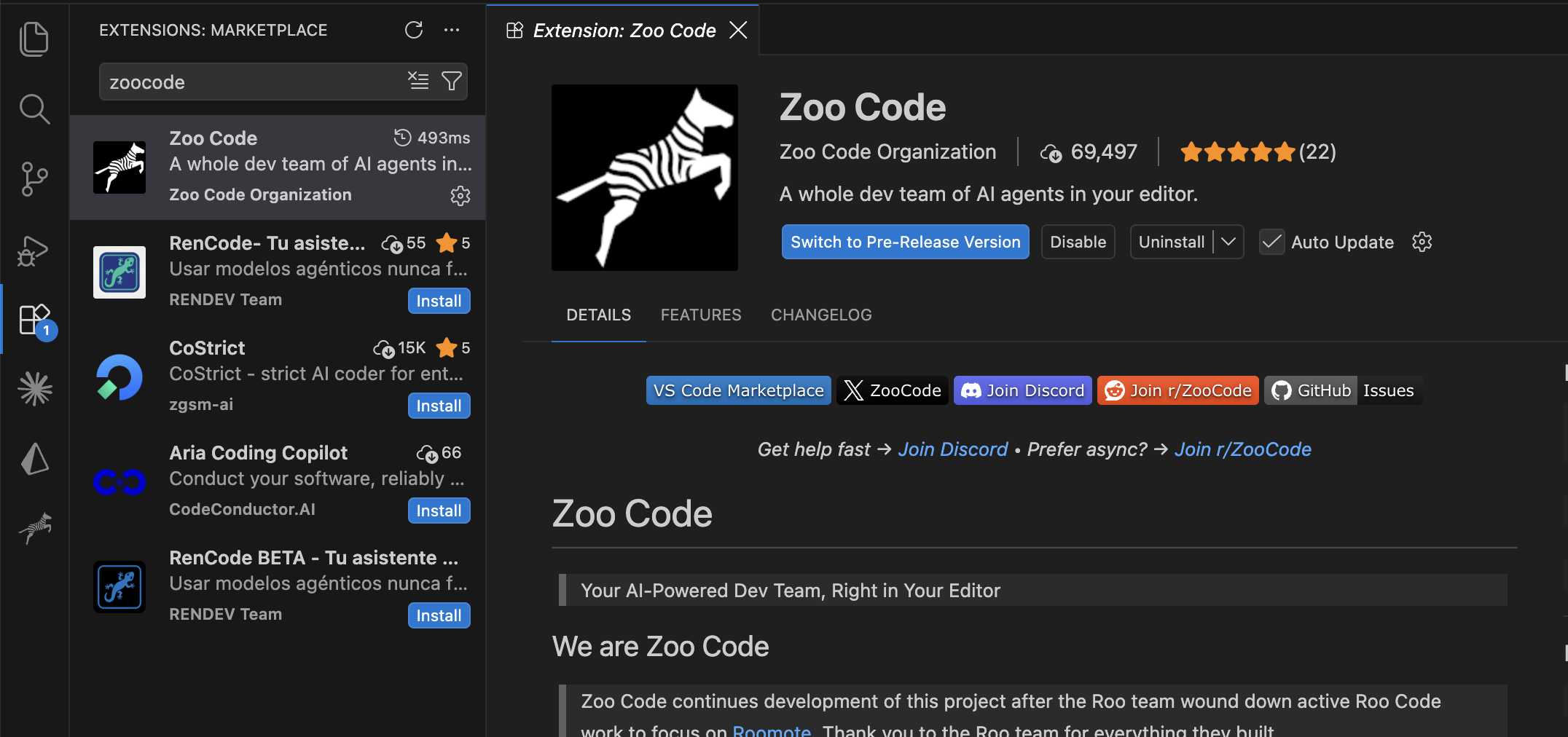
Zoo Code is the community-maintained continuation of Roo Code — same features, same settings structure, model-agnostic with BYOK support. Closest thing to a drop-in Claude Code replacement in terms of day-to-day feel.
Prerequisites
- Zoo Code installed in VS Code or your JetBrains IDE — VS Marketplace or Open VSX.
- An OpenAI-compatible endpoint URL and API key. From a Solheim project dashboard, or from your own vLLM server if you're self-hosting.
Step 1 — Install Zoo Code
Coming from Roo Code, your existing settings, custom modes, and keyboard shortcuts export and import directly. Starting fresh, just install from either link above.
Step 2 — Get your endpoint credentials
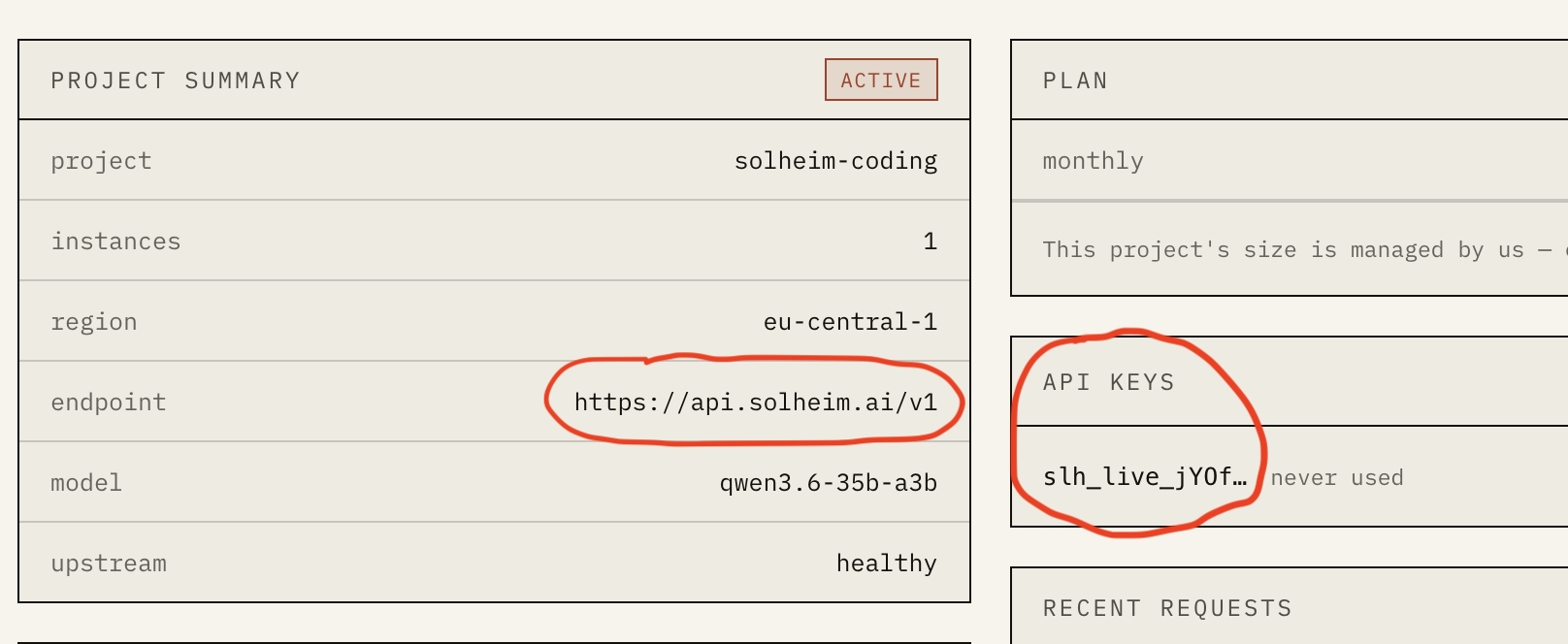
From your Solheim dashboard, open your project and copy:
- Your API key
- Your endpoint URL (shown on the project overview page)
Self-hosting instead? Your base URL is wherever vLLM is listening, e.g. http://localhost:8000/v1.
Step 3 — Open Zoo Code's provider settings
In VS Code, open the Zoo Code sidebar and click the settings (gear) icon.
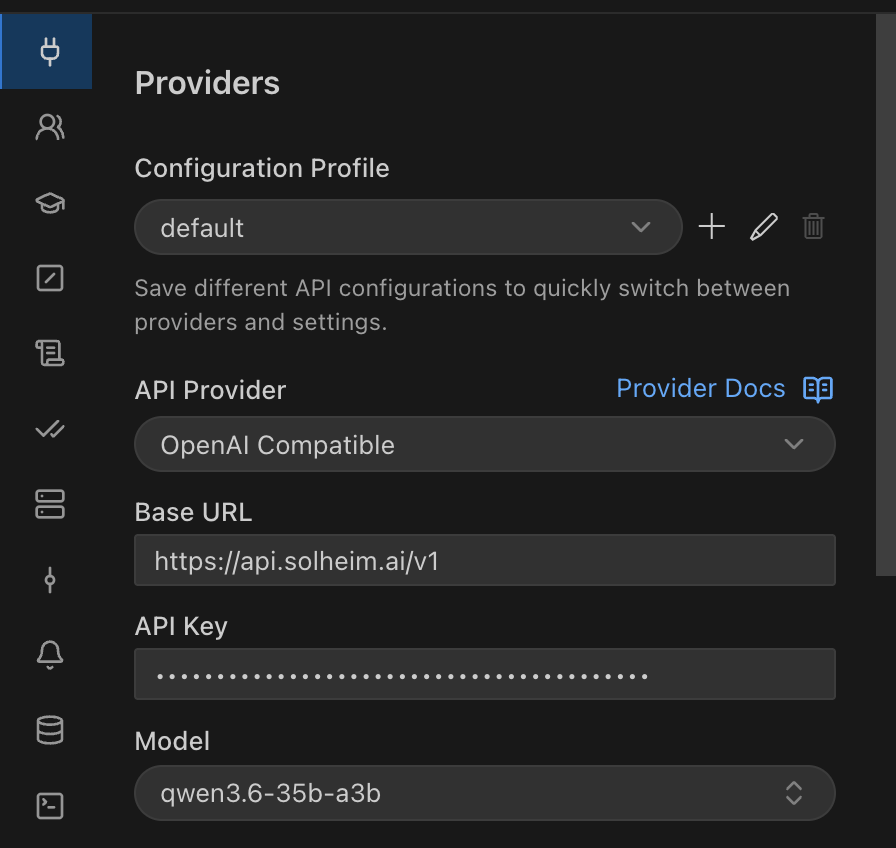
Step 4 — Add your endpoint as an OpenAI-compatible provider
Select "OpenAI Compatible" as the API provider type, then fill in:
- Base URL: your endpoint, including the
/v1suffix (e.g.https://api.solheim.ai/v1) - API Key: your key
- Model ID: the model identifier from your dashboard (e.g.
qwen3.6-35b-a3b)
Save the configuration.
Step 5 — Verify the connection
Open a new Zoo Code chat and send a simple test prompt — "explain what this function does" on any open file. A streamed response means you're wired up.
Step 6 — Pick a mode and get to work
Zoo Code's modes (Architect, Code, Debug) all route through the same provider config, so there's nothing to configure per mode. Architect for planning before changes land, Code for direct edits, Debug for tracking down an issue. Functionally this maps onto how you were already using Claude Code's plan/execute split.
Troubleshooting
- Connection failed / timeouts: confirm the Base URL includes
/v1and that your instance is active. - Unauthorized: check for trailing whitespace in the key, and that it hasn't been regenerated since you copied it.
- Tool calls being ignored: the model needs a tool-call parser configured server-side. On Solheim this is already set; self-hosting, you want vLLM's
--enable-auto-tool-choicewith the matching--tool-call-parser.
A note on concurrency
Your instance count determines how many requests run at once. If Zoo Code fires several parallel tool calls or subagent tasks past that limit, requests queue briefly rather than fail. Regularly running highly parallel workflows? Bump the instance count from the dashboard.
Questions on the setup? hello@solheim.ai.